

Laker Essentials

First Year Orientation Basics
Your Student Success Network (SSN)

Many faculty members from across campus have committed to ensuring students have a productive first year by serving as Faculty Partners through the Student Success Network (SSN).
Grand Valley has copious resources to help you excel and keep you well. Knowing them all takes time. Just reach out to your faculty partner, and they can direct you to the right people or answer any questions/concerns you may have.
Your part of the partnership is easy:
- Keep an eye open for emails from your partner once they connect with you in August
- They will send helpful information and updates every two weeks
Learn the Language
College comes with its own vocabulary. These 10 terms will help you navigate campus, understand requirements, and make the most of your resources at GVSU.
A collection of 30-50 credit hours of related courses in your chosen field of study. You'll declare your major after exploring different subjects—many students change their major, and that's normal.
Required courses outside your major that give you a well-rounded education. You'll take Foundations (9 courses), Cultures (2 courses), and Issues (2 courses). These aren't just boxes to check—they help you think across disciplines.
The unit that measures your coursework. Most classes are 3 credit hours. You need 12+ credits per semester to be full-time, and 120 total credits to graduate. Each credit hour represents roughly 1 hour in class + 2-3 hours of study time per week.
A course you must complete before taking another course. Example: You can't take Chemistry 116 without passing Chemistry 115 first. Check course descriptions carefully when planning your schedule.
An option to take certain courses pass/fail instead of for a letter grade. You can take up to 25% of your GVSU credits this way. Useful for electives outside your comfort zone, but choose strategically—some programs don't accept CR/NC for requirements.
GVSU's online learning platform where professors post syllabi, assignments, grades, and course materials. Log in regularly—professors expect you to check it daily.
The online tool in Banner that shows your progress toward graduation. It tracks which Gen Ed requirements you've completed, how many credits you have, and what you still need. Check it regularly—don't wait until senior year.
Scheduled times when professors are available in their offices to answer questions, discuss course material, or talk about your career interests. Going to office hours isn't "bothering" your professor—it's using a resource you're paying for.
Your academic standing calculated on a 4.0 scale (A=4.0, B=3.0, C=2.0, D=1.0, F=0.0). You need a 2.0 minimum to stay in good standing. Your GPA matters for scholarships, grad school, and some job applications.
Having completed 55-84 credits. This matters because some upper-level courses (300-400 level) and all Issues courses require junior standing. You can't take everything in your first two years—it's intentionally designed this way.
Finding Your Place
Find your way around campus with maps, bus schedules, building names and abbreviations, and study space locations—everything you need to get where you're going.
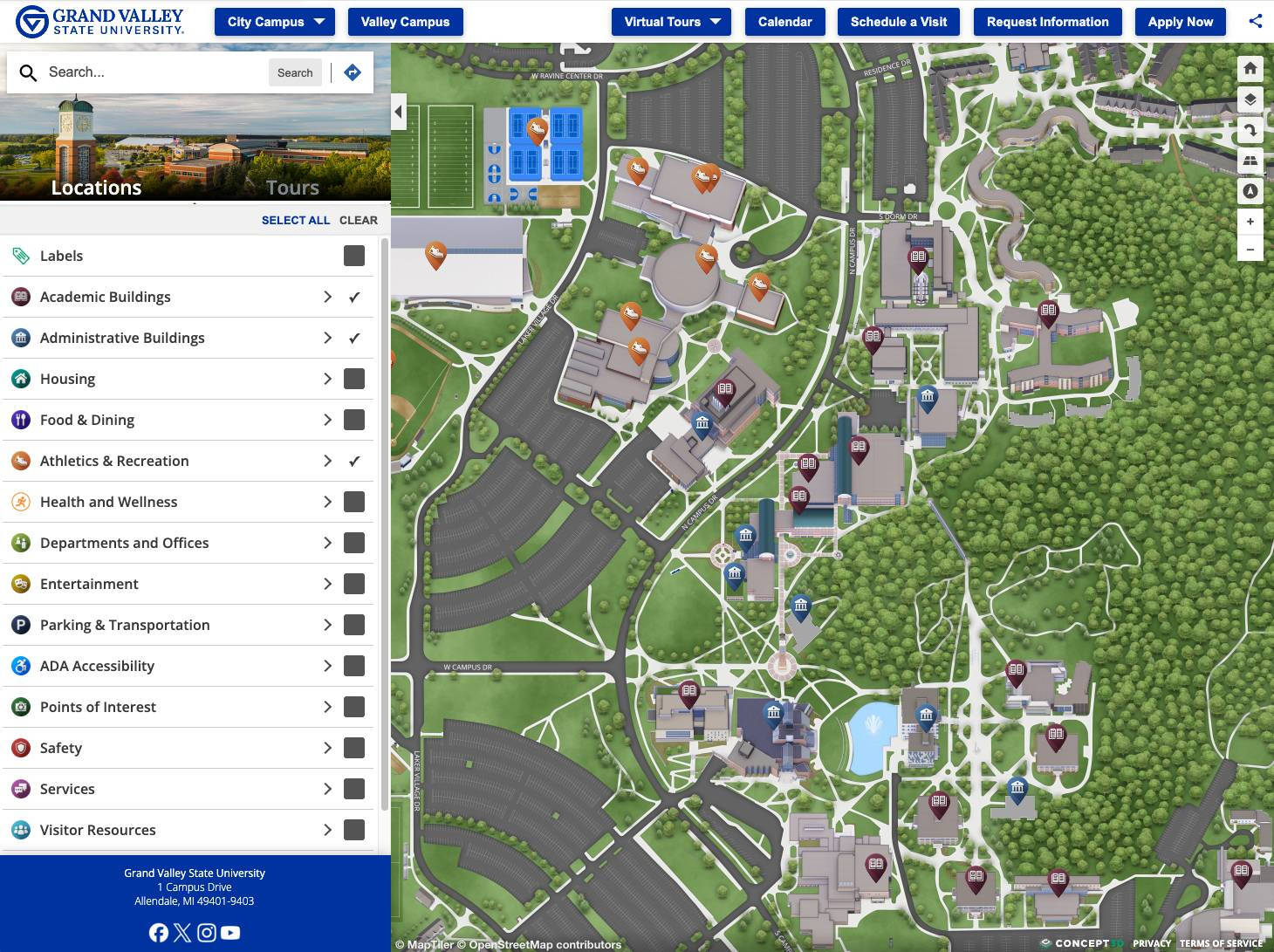
Maps & Wayfinding
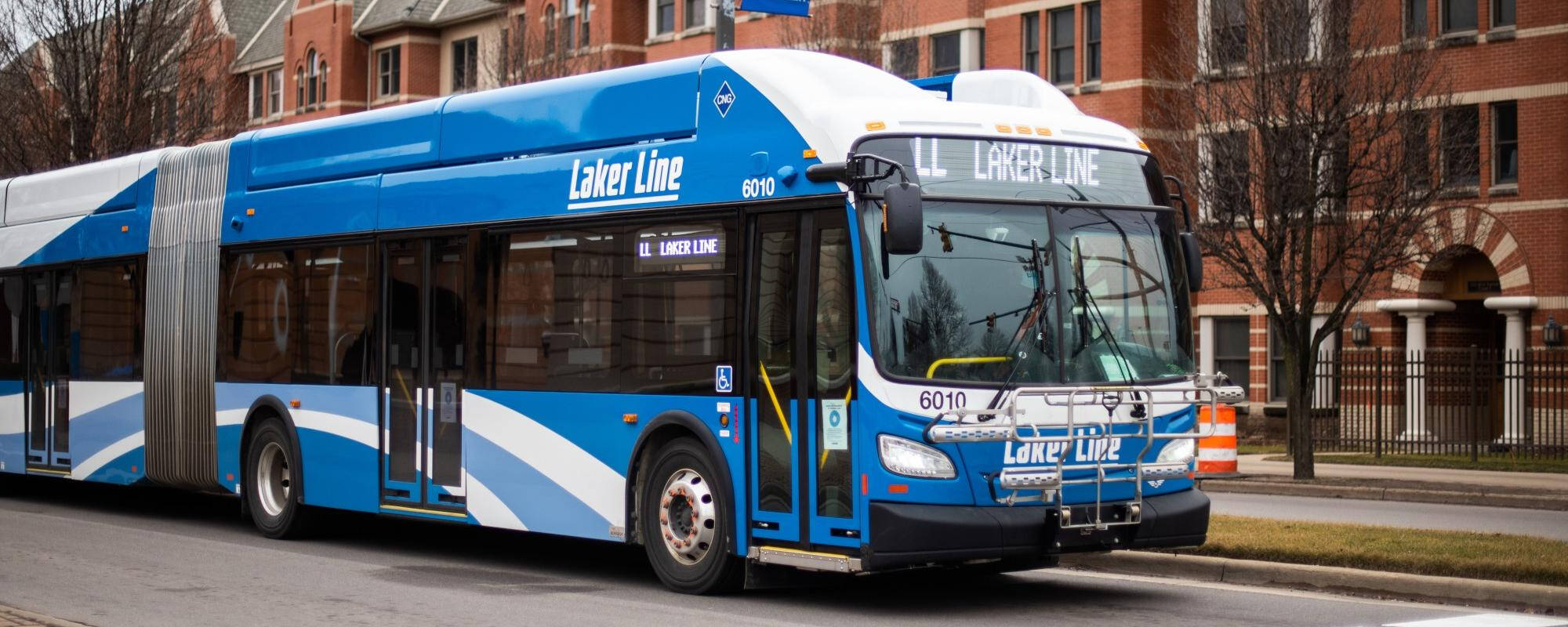
Bus Transportation for Students
Building Names and Abbreviations

Study Spaces
Navigating College: Need Help?
GVSU has many opportunities for students to acclimate to college - whether it's a class or community. Check out a few options here for supporting you in joining our academic community!
Essential Policies
Know the rules so you can focus on learning. These 10 policies cover what GVSU expects from you, what happens if rules are broken, and the rights and resources available to help you succeed.
GVSU has a rulebook called "The Anchor" that lists what behavior is expected from students. These rules apply on campus, at university events, and even off-campus if what you do affects other GVSU students. You're responsible for knowing these rules—saying "I didn't know" won't get you out of trouble.
All your schoolwork must be done by you without unauthorized help. This means:
- Don't copy from websites, friends, or AI tools without giving credit
- Don't buy papers or have someone else do your assignments
- Don't cheat on tests or homework
- Always cite your sources when you use someone else's ideas or words
Getting caught can mean failing the assignment, failing the class, or getting kicked out of school.
If you're taking 15 credits (5 classes), you should study 30-45 hours per week outside of class. College isn't like high school—you need to study a lot more to pass.
Each professor decides their own attendance rules. Many count attendance as part of your grade. If you miss too many classes, you can fail even if you do well on tests. Some classes won't let you pass if you miss more than two weeks.
Treat others the way you want to be treated. This means:
- Show up on time
- Listen when others are talking
- Speak respectfully to everyone
- Don't damage or take other people's things
- Help create a place where everyone can learn
You can't drink alcohol if you're under 21—that's the law. GVSU also bans marijuana completely, even though Michigan allows it for adults 21+. No medical marijuana exceptions. You can't have open alcohol containers in hallways, outdoors, or other public campus areas. Breaking these rules will get you in trouble, and being drunk or high won't excuse breaking other rules.
GVSU doesn't allow sexual harassment, unwanted sexual contact, dating violence, or discrimination based on your sex, race, religion, disability, sexual orientation, or other protected characteristics. If this happens to you or you see it happen, report it to the Title IX office or campus police.
Once you turn 18 and start college, your parents can't see your grades or school records unless you give written permission. You decide who gets to see your information. This privacy protection is called FERPA.
If you have a learning disability, ADHD, anxiety, physical disability, or other condition that makes school harder, contact Disability Support Resources (DSR) at 616-331-2490 right away. They'll work with your professors to give you the help you need. Don't wait until you're failing—set this up at the start of the semester.
If a professor thinks you cheated or plagiarized:
- They must talk to you about it first
- If they still think you did it, they report you to the student conduct office
- You'll meet with a staff member to discuss what happened
- You can either admit you did it or deny it
- There will be consequences—possibly failing the assignment, failing the class, or other penalties
- If you break the rules multiple times, the consequences get worse
Policies and Procedures: Need Help?
You don't have to navigate the policies, procedures, and rules alone. Here are some offices and resources to help!
- Explains university policies and procedures in plain language
- Helps you understand your rights and responsibilities
- Confidential resource to discuss concerns before taking action
- Ombuds Office Website
- General advocacy and support for students
- Helps navigate university systems and policies
- CARE Team referrals for students struggling with various challenges
- Dean of Students Website
- Explain academic policies (registration, grades, degree requirements)
- Help you understand major/minor requirements
- Guide you through academic processes
- University Academic Advising Website
- Helps students with disabilities get accommodations to follow course requirements
- Works with professors to modify policies when needed for accessibility
- Student Accessibility Resources Website
- Academic coaching to help you stay on track
- Study skills and time management support
- Helps prevent academic problems before they start
- Student Academic Success Center Website
- Office hours to clarify class policies and expectations
- Can explain what counts as plagiarism or collaboration in their courses
- First point of contact for academic questions
- Communicating with your Professors Resource
- Handles all conduct violations (academic misconduct, behavioral issues)
- Explains the conduct process and your options
- Office of Student Conduct and Conflict Resolution Website
- Location: 202 Lubbers Student Services Building
- Handles reports of harassment, discrimination, and sexual misconduct
- Investigates Title IX violations
- Provides support resources for victims
- Office of Civil Rights and Title IX Website
- Responds to crimes and safety emergencies
- Files reports for serious violations
- Emergency: 911 or 616-331-3255
- GVSU Public Safety Website
- Handles FERPA concerns (privacy of educational records)
- Academic grievances and grade disputes
- Registrar's Office Website
- Free counseling if stress, anxiety, or mental health issues are affecting your ability to follow through
- Can help address underlying issues contributing to rule violations
- University Counseling Website
- Confidential support for students who experience harm
- Center for Health and Well-Being Website
- Submit a CARE report if you or someone you know is struggling
- Connects students to appropriate resources
- Available through Dean of Students Office website
- CARE Website
How to Register for Classes
Registration happens every semester. Here's how to do it right.
First-year students: You'll register for your first semester classes during orientation over the summer. An advisor will help you pick classes that fit your schedule and meet your requirements.
Transfer students: You'll have a transfer orientation appointment where you'll get help selecting classes. This happens before your first semester at GVSU.
All students (after first semester): You register yourself through Banner for future semesters.
Registration opens in March for fall, winter, and spring/summer semester(s). You'll get a specific registration date and time based on how many credits you've completed—students with more credits register earlier.
Check your registration time:
- Log in to myBanner
- Go to Student > Registration
- Look for "Registration Status"
You cannot register before your assigned time. Mark it on your calendar.
Before your registration time, figure out what classes you need:
Check your degree requirements:
- Log in to myBanner
- Go to "MyPath Degree Audit" to see what you still need
- Look for General Education requirements, major requirements, and electives
Make a backup plan:
- Pick 2-3 backup options for each class in case your first choice fills up
- Check if classes have prerequisites you need to complete first
- Balance your schedule—don't take all hard classes in one semester
Not sure what to take? Meet with your academic advisor. They'll help you pick classes that keep you on track to graduate.
On your assigned registration date:
- Log in to myBanner
- Go to Student > Registration > Add/Drop Classes
- Select the correct term (Fall 2026, Winter 2027, etc.)
- Enter the CRN (course reference number) for each class
- Click Submit
If a class is full: Try your backup options or join the waitlist if available.
If you get an error message: Write down the exact error and contact the Registrar's Office for help.
You're billed based on how many credits you enroll in. Most classes are 3 credits.
- 12-15 credits = full-time tuition (flat rate)
- Less than 12 credits = part-time rate (charged per credit)
- More than 15 credits = extra fees per credit over 15
You can see your bill in myBanner under Student > Student Account.
After registering:
- Check your schedule in Banner to make sure all classes are there
- Note the days, times, and locations
- Add deadlines to your calendar (drop/add, withdrawal deadlines)
Register for Classes: Need Help?
Registering for classes, planning your schedule, or deciding on how many classes to take can be tricky. Here are some resources to help!
Registration advice (what classes to take): Contact your academic advisor
- Find your advisor in myBanner under Student > View Student Information > Advisor
- Schedule an appointment with your Academic Advisor in Navigate360
Registration problems (technical issues, holds, errors): Contact the Registrar's Office
- Phone: 616-331-3327
- Registrar's Website
- Location: 150 Arend & Nancy Lubbers Student Services Center
- Financial hold (unpaid balance) → contact Student Accounts
- Academic hold (low GPA) → contact Student Academic Success Center
- Advising hold (need to meet with advisor) → schedule an advising appointment
- Drop/Add period: First week of semester—change classes with no penalty
- Withdrawal deadline: Mid-semester—drop classes with a "W" on transcript
- 100% refund deadline: First few days of semester
Essential Technology Tips
Master the tech tools you'll use every day. These four essentials will help you stay organized, submit assignments on time, and know where to get help when something breaks.
Your @gvsu.edu email is your official university communication. Professors send assignments, the registrar sends registration alerts, and important campus announcements all go here. Check it daily or forward it to your personal email. Missing emails means missing deadlines.
Blackboard is where all your course materials live—syllabi, assignments, grades, announcements, and submission portals. Every professor uses it differently, so check each class's Blackboard page regularly. Download the Blackboard app on your phone for notifications.
- Access: Log in through gvsu.blackboard.com
- Tip: Check Blackboard before every class
Banner is your one-stop portal for:
- Registering for classes
- Checking your grades and transcripts
- Viewing your bill
- Seeing your degree progress (MyPath)
Bookmark it and learn where things are located. You'll use this constantly.
- Access: my.gvsu.edu
Technology will break. Passwords will get locked. Wi-Fi won't connect. When it happens:
- IT Help Desk: 616-331-2101 or [email protected]
- Computer labs: Free access across campus if your laptop breaks
- Free Microsoft 365: Download Word, Excel, PowerPoint for free as a GVSU student
Don't struggle alone—IT support is free and available to help you.
Campus Technology: Need Help?
If you're in need of a laptop, printer, or other tech device, feel free to review the resources here!
Check out the Laker Tech desk for support in purchasing a device.
Grand Valley has TONS of resources and advice on devices needed for college. Check out Laptops for Lakers here!