

Social Media
A strategic social media presence reinforces our brand and its promise. It gives us opportunities to showcase excellence in learning, demonstrate service to our community, and unite us as Lakers.
It is important that all Grand Valley-affiliated social media accounts align with our branding guidelines to ensure a consistent representation of the university. Adhering to the guidelines and best practices outlined on this site will strengthen brand recognition, build trust with our audiences, and create a unified voice and visual identity. This alignment allows us to effectively communicate Grand Valley's values and key messaging.
Profile Icons
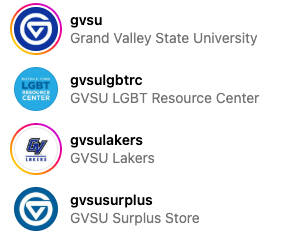
Social media profile icons use a mix of circle and square formats. When you are creating your profile icon, it is critical to keep the key content to a minimum and put it in the center circle because that is what most visitors will see.
Many users will only use social media on a mobile device, so keep your icon as simple as possible because it will almost always display very small.
Given the extreme economy of space, the icon’s job is to provide a quick cue that this communication is connected to Grand Valley. The name of your unit can come through the name of your account, which will be adjacent to your icon.
Using too many words, displaying levels of hierarchy, your department logo, or using the full primary Grand Valley logo will affect readability.
Choose from these options:

Option 1: Logomark
The preferred profile icon is a single-color solo logomark. You can use any of the single-color logomarks available for download over one of our primary identity colors. You may also choose to use any of the premade versions available below:





Option 2: Image (no logomark)
Alternatively, you can use a simple image that is representative of your unit.
Examples:
Office of Sustainability (top left)
L.V. Eberhard Center (top right)
Department of English (lower left)
History Department (lower right)
Option 3: Image + logomark
You may also use a simple image that is representative of your unit with a single-color solo logomark over the image. We've created a template in Adobe Express for you to use for this purpose.
Cover Photos, Header Images, and Channel Art
Please choose images that are relevant to your unit, appropriate for your audience, and of sufficient resolution. Do not use a department logo.
|
|
|
Twitter/X |
|
YouTube |
TikTok |
|---|---|---|---|---|---|
|
Profile |
Profile |
Profile |
Profile |
Profile |
Profile |
|
Cover |
N/A |
Header |
Cover |
Channel Art |
N/A |
Security
When creating or adding to Grand Valley social media accounts, the university has security protocols to follow:
- Enable multi-factor authentication on all social media accounts and third-party publishing or analytics tools you employ.
- We strongly recommend that you change your passwords frequently. Require the same of any personal accounts that are connected as administrators or editors on institutional accounts.
- Refrain from connecting third-party apps to Grand Valley accounts, as these are often soft spots for security breaches; if you must, please apply similarly robust password management.
Video Accessibility on Social Media
Closed captions are required on all videos. If you choose to not supply a .srt closed caption file, YouTube will auto-generate captions for you and they may not be accurate. If YouTube is unable to auto-generate captions for the submitted video, then it is your responsibility to supply an .srt file and the video will remain private/unlisted until this has been completed.
Learn about online accessibility for video captioning on the following pages:
Social Media Directory
Many of Grand Valley's colleges units, and organizations run their own social media profiles to meet specific objectives. The Grand Valley Social Media Directory will help you find other Grand Valley accounts to follow, collaborate with, or simply draw inspiration from.
Best Practices
Do:
- Read through the Community Guidelines and Best Practices pages on the Social Media website before you create a social account.
- Choose one of the three icon styles.
- Use the name of the account (not the icon) to communicate the name of your unit if it’s long (>12 characters) or if there are levels of hierarchy to convey.
- Keep it simple!
Don't:
- Don’t create a social account that uses Grand Valley's name unless the group is an officially recognized Grand Valley unit.
Questions about Social Media?
If you have questions about creating or maintaining official Grand Valley social media profiles, email the social media team at [email protected].