

Search Engine Optimization (SEO)
Search Engine Optimization (SEO)
SEO is the practice of improving your webpage's visibility in search engine results through a mix of technical setup and content strategy. On this page you'll learn how to apply SEO fundamentals in CMS 5 — including how to write for both people and search engines, improve your rankings, and ensure your content is discoverable in traditional and AI-powered search results.
Need personalized help? Our web team can audit your site, provide technical SEO recommendations, and assist with keyword research.
On-page SEO covers the elements you control directly on each page — URL structure, page title, headings, and body content. Getting these right gives search engines a clear signal about what your page is about.
Include your primary keyword in the URL. Keep it short, descriptive, and human-readable. Example: /gvsu-nursing-application is more effective than /page12345.
Appears in the browser tab and signals the content topic to search engines. Include your primary keyword early and keep it under 70 characters.
Use one H1 per page. Include keywords naturally in H2s and H3s to signal structure and topic relevance to search engines.
Write at least 300 words. Place keywords naturally in paragraphs, headings, alt text, and links. Quality and clarity always come first — never stuff keywords.
Keywords help search engines understand your content and match it to what people are searching for. They are the foundation of SEO and directly affect how your page ranks.
Include terms related to GVSU's campuses, programs, and Michigan locations to surface in local search results.
- Broad: MBA programs
- Localized: GVSU MBA programs in Grand Rapids
Use tools like Google Keyword Planner or Ubersuggest to find terms your audience is searching for. Look for a balance of search volume, low competition, and high relevance. The web team can assist with personalized keyword research.
Place your primary keyword in the page title, meta description, and URL. Use it naturally in body content, image alt text, and headers.
Meta titles and descriptions appear in search results and help users decide whether to click your page. They're also key signals to search engines about your content's topic.
Keep it under 60 characters. Make it clear, specific, and keyword-relevant. If no meta title is set, Google may default to your page title or H1.
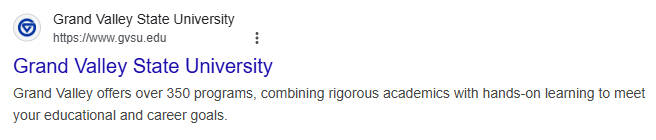
Aim for 150–160 characters. Summarize the page with a natural tone and a call-to-action where appropriate.
Our CMS automatically generates a meta description for each new page to ensure baseline visibility — but always review and customize it for clarity, tone, and alignment with your page goals.
High-quality, useful content is the backbone of SEO. Write for people first — clear, engaging content that answers user questions will outperform keyword-heavy text. Keep content original, relevant, and focused on your audience's needs. Regularly update outdated information and remove pages that are no longer needed. Even unlinked pages can be indexed by Google, so delete what no longer serves a purpose.
Internal links connect pages within your site to guide visitors, improve navigation, and distribute page authority. Backlinks — external sites linking to your content — signal trust and authority to search engines, helping your pages rank higher.
Write clear, keyword-friendly alt text for all important images. Use descriptive file names with relevant keywords (e.g., gvsu-nursing-lab.jpg). Optimize file size using compressed JPEGs or lightweight PNGs to keep load times fast — a factor in both user experience and rankings.
Search is changing. AI-powered tools like Google's AI Overviews, ChatGPT, and Perplexity now answer questions directly — often without users clicking a link. AEO and GEO are the emerging practices of optimizing your content so it gets surfaced and cited by these AI systems.
AEO focuses on getting your content featured as a direct answer in search results — think Google's featured snippets, knowledge panels, and AI Overviews. The goal is to be the source a search engine pulls from when answering a user's question.
GEO is the practice of structuring and writing content so it's cited or summarized by generative AI tools like ChatGPT, Perplexity, and Claude. Being clear, authoritative, and well-structured makes your content more likely to be included in AI-generated responses.
Anticipate questions your audience is asking and answer them directly and concisely. Use question-style headings where appropriate.
Well-organized pages with logical headings, short paragraphs, and lists are easier for AI systems to parse and cite accurately.
Cite sources, link to official GVSU pages, and keep content current and accurate. Authority signals matter to both search engines and AI tools.
Write conversationally using longer phrases and complete sentences. AI models favor natural, human-centered writing over keyword-dense text.
Lead with the answer, then provide supporting context. AI systems often pull the first clear, relevant sentence as the featured response.
Generative AI tools prioritize up-to-date sources. Review key pages regularly and update timestamps when content is meaningfully revised.
Connect pages within your site to guide visitors, improve navigation, and spread page authority.
External sites linking to your content signal trust and authority to search engines, helping your pages rank higher.
Write clear, keyword-friendly descriptions for all important images. Improves both SEO and accessibility.
Name images with relevant keywords such as gvsu-nursing-lab.jpg to help search engines understand your content.