


Migrate your site from CMS 4 to CMS 5
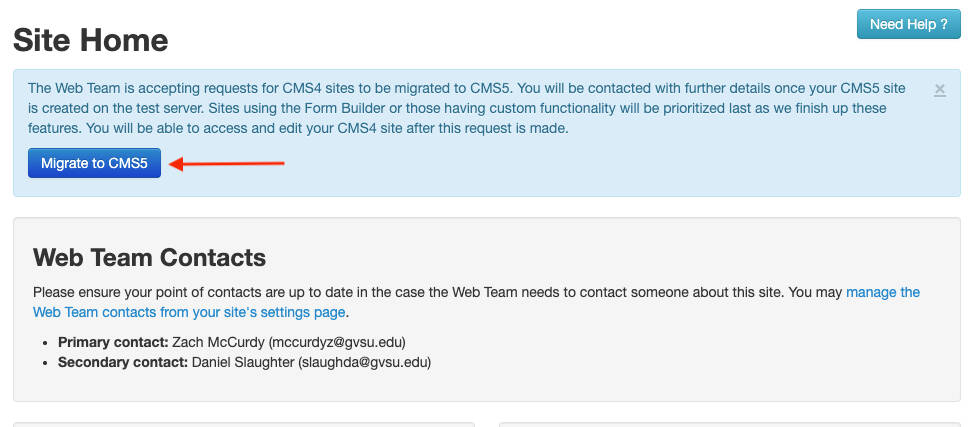
Login to your CMS 4 site admin, and if you have the correct permission, you will see a blue box with information on requesting your site be added to the list to migrate to CMS 5. Click the button that says "Migrate to CMS 5", provide any additional information and submit the form.
Page last modified February 27, 2026