Start A Groundswell Project - pK12 Educators
Learn the benefits, process, and resources for starting a Groundswell project in stewardship education! Explore our real-world examples, educator tips, and support available to help you bring it to life.
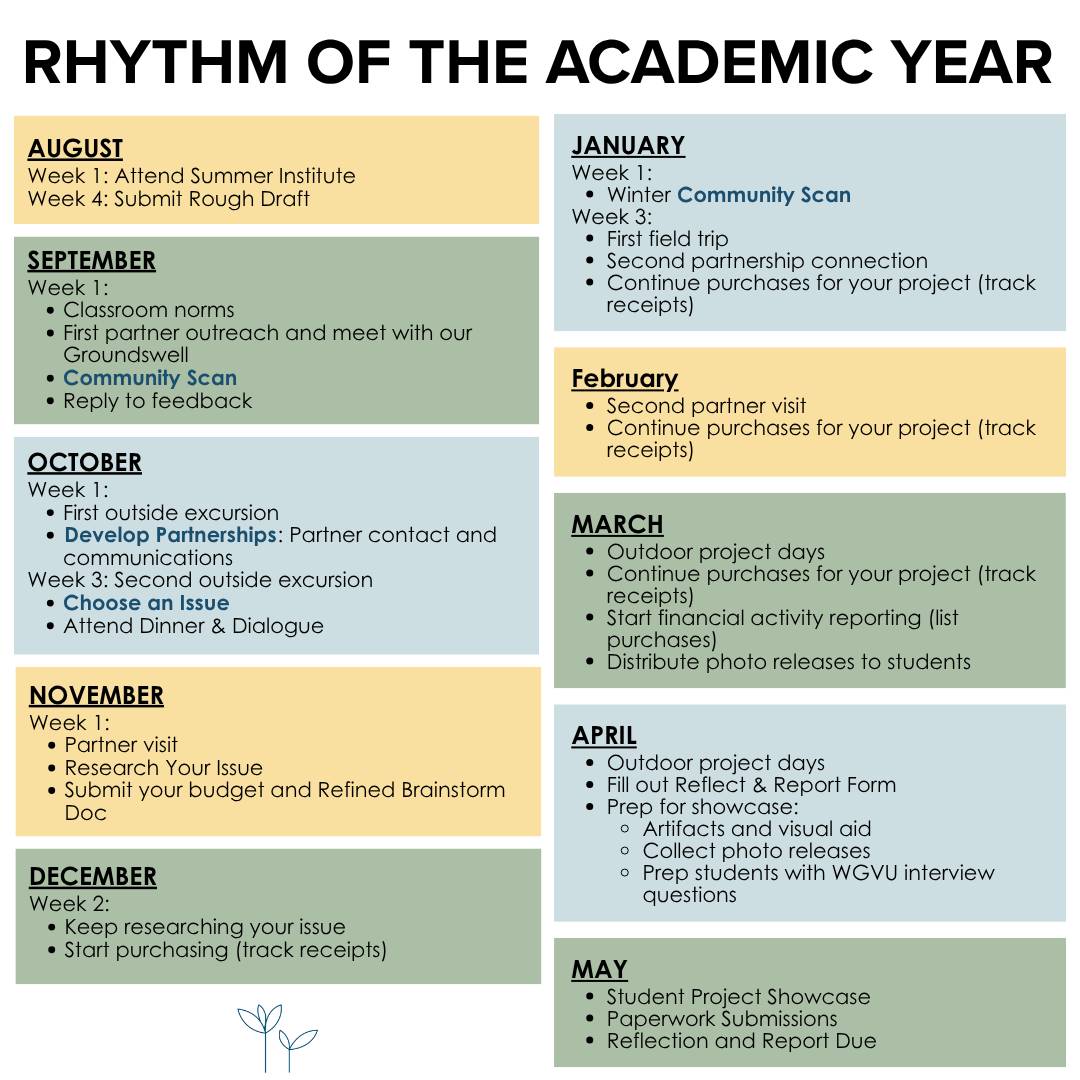
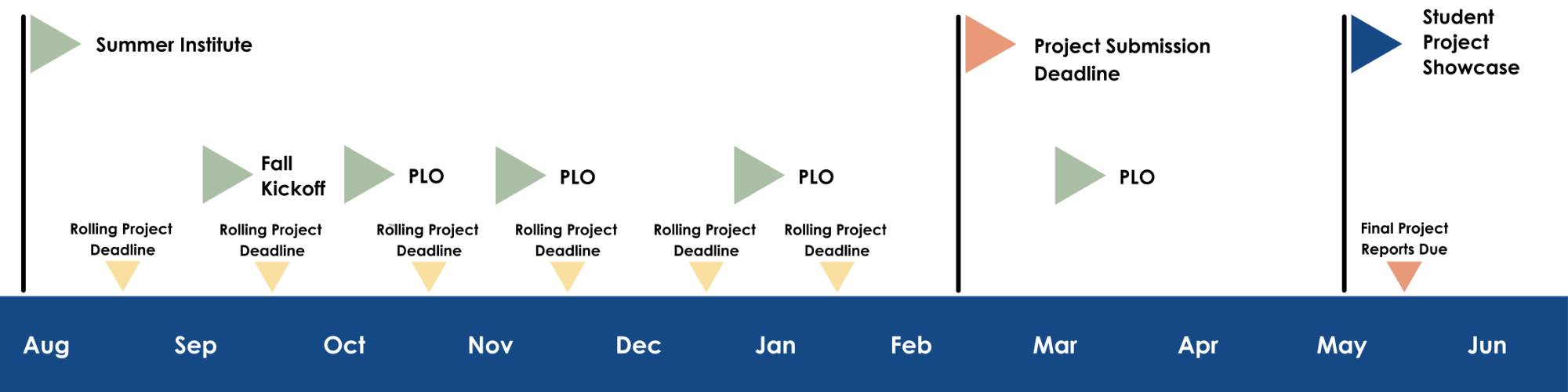
The academic year might look slightly different depending on projects and location; the calendar here is merely a suggestion.
Download a .pdf copy of this calendar below.
Start Your Groundswell Project
Why Apply?
Groundswell’s programming revolves around a three-tiered approach to developing successful place-based stewardship education practices. Conducting a Groundswell project is a valuable experience for you and your students. While doing a project with Groundswell, you will…
- Learn how to write a grant
- We guide you through this process, which is a small version of standard grant applications
- Gain experience in project management
- Get funding for and buy materials that can last in your classroom and school for YEARS
- Network and build connections with your colleagues in other schools and districts
- Build connections with local businesses, nonprofits, and organizations
[1750266985].jpg)
The Break Down
Explore more of what our program has to offer by diving into resources in our Google Drive below.
|
We Count on You, the Teacher, To: |
You Can Count On Groundswell To: |
|---|---|
|
|
|
|
|
|
|
|
|
|
|
|
|
Where to Begin
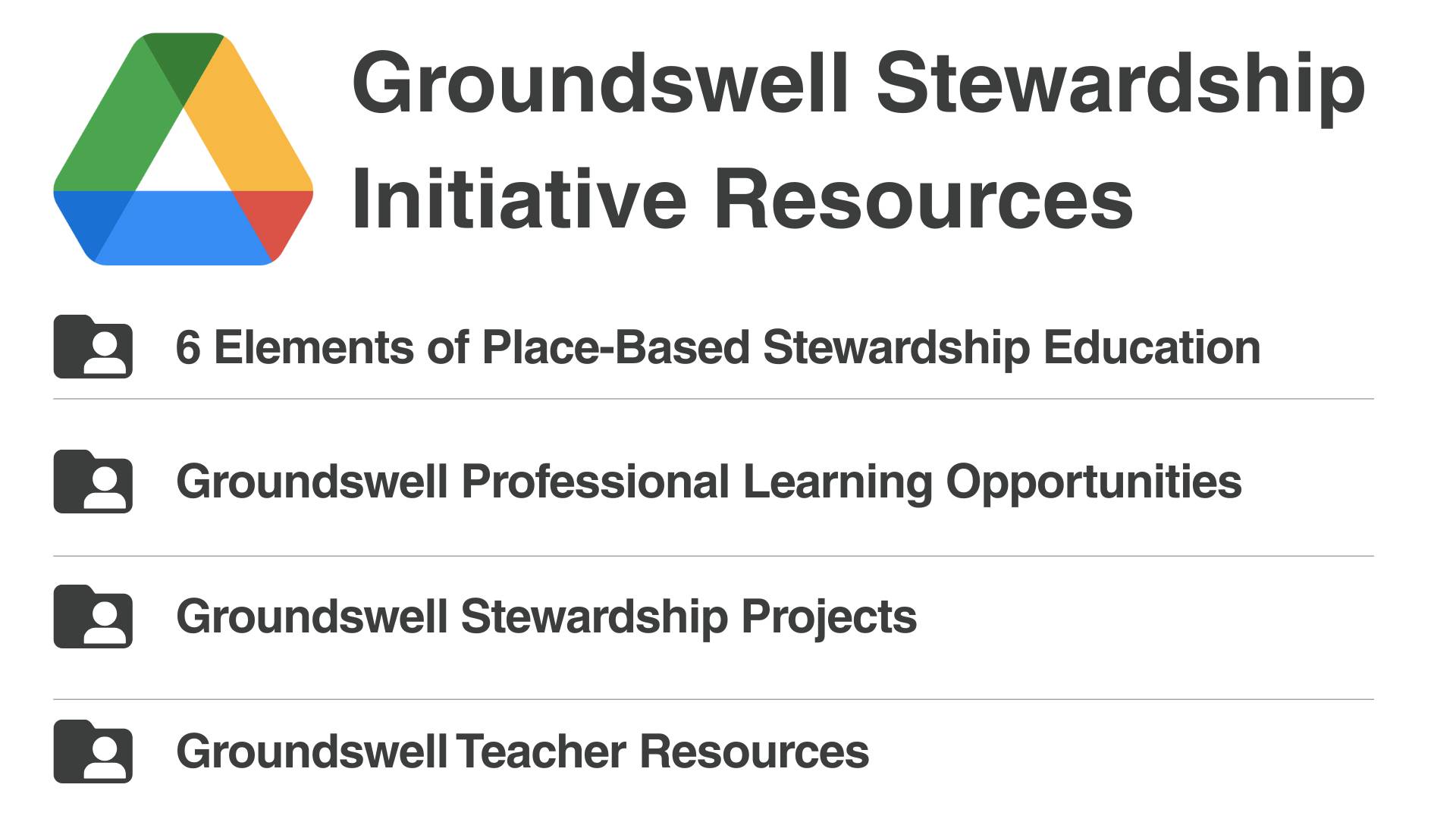
First, open our Google Drive folder, where you'll find resources to support you in engaging with Groundswell.
Teachers who work with our program can build a Google Folder and draft a live Project Brainstorm Google Doc. This editable document helps guide teachers in designing a stewardship project and is used throughout the year. It facilitates ideation and allows for feedback from our Projects Committee and partners.
Follow directions below or watch the video to get started!
- Open the Groundswell Stewardship Projects Folder
- Locate your school folder (or, if you don't have one, click + on the left of your screen to create one)
- Open the _Brainstorm Doc: DRAG & DROP INTO YOUR FOLDER 25-26
- Drag (or right click to select "move") and deposit one of the RENAME TO YOUR SCHOOL Groundswell Project Brainstorming Doc 2025-2026 Files into your school's folder
- Read the directions and start drafting!
How to Get Started on A Project

Groundswell Rubric: Use our rubric to guide your project work.
Project Deadlines
We do not have project submission deadlines at Groundswell. The final month in which a teacher can submit a project (opt into our program for the school year) is March.
Instead, the Projects Committee (PC) will meet to review that month’s reporting (the committee will review brainstorm document submissions) at each monthly committee meeting. To allow PC time to review, fill out the rough draft and then the final draft/budget sections by the 15th of the month.
Groundswell staff gets back to teachers with PC feedback within ten (10) business days of the 15th.
Project Requirements
Below are the elements required to complete an Action Project.
Report and Reflect Google Form
Submit a Final Project Report through Google Forms on your final student count and end project results
- A link to this form will be provided to teachers who do a stewardship project during the academic year
Due May 31st
Financial Activity Report
Financial Activity Report You will copy the Google Sheet and move that copy to your project folder.
Track expenses for your project by filling out this form in your School’s Project Folder
Due May 31st
Receipts
Take photos or scan all of your receipts. Drag and drop them into your School’s Project Folder.
Due May 31st
Pro Tip: SAVE YOUR RECEIPTS. Track your spending throughout the year for easier reporting.
Pro Tip: Hyperlink the electronic receipts to your Financial Activity Report.
Photo Release Forms
These are in addition to forms your school requires. All students depicted in Groundswell project photos, videos, and all students who attend the Project Showcase must fill out a photo release form.
Formulario de Publicación de Fotografía (Photo Release Form Spanish)
Teacher Teams
We strongly encourage teams of multiple teachers (at the same school or different schools). This approach allows for collaboration, enhances in-school support, and provides expanded place-based education opportunities for students. If you are just starting out, we do offer options for individual teachers.