
Apple Options
The Information Technology Division established a "Minimum Computer Standards" supported list to improve your computing experience. By picking a machine on the supported list you'll be getting a machine that works on the GVSU network, is fully supported by IT, and is equipped with the best security practices and ability to update security software when needed. We also have a team of hardware technicians that are certified to work on our standard line-up.
For information on how to place an order, check order status, and more: review the Policies and Procedures Relevant to Technology Acquisition Knowledge Base (KB) article in the IT Service portal.
MacBook Air vs. MacBook Pro
The MacBook Air M5 chip is now the standard stock offering through Technology Acquisition.
The MacBook Air is equipped with the M5 chip, which powers through a wide range of tasks from everyday productivity to creative workloads, and is even faster for AI. It now features double the starting storage, as well as Wi-Fi 7 and Bluetooth 6, in a sleek and durable design. It also offers up to 18 hours of battery life. The MacBook Air is best for users who prioritize portability, battery life, and cost, with performance suitable for everyday tasks. The MacBook Pro with the M5 Pro chip is best for power users who do things such as 3D modeling, data-intensive workflows, or large-scale software projects.
Please note:
- MacBook Airs do not have ethernet or HDMI ports If you would like to purchase an adapter with either of those ports, they can be purchased through a supplier requisition in Workday (Amazon, CDW-G, Office Depot, Staples).
- MacBooks cannot be imaged as multiuser. Please keep this in mind when ordering both MacBook Pros and MacBook Airs.
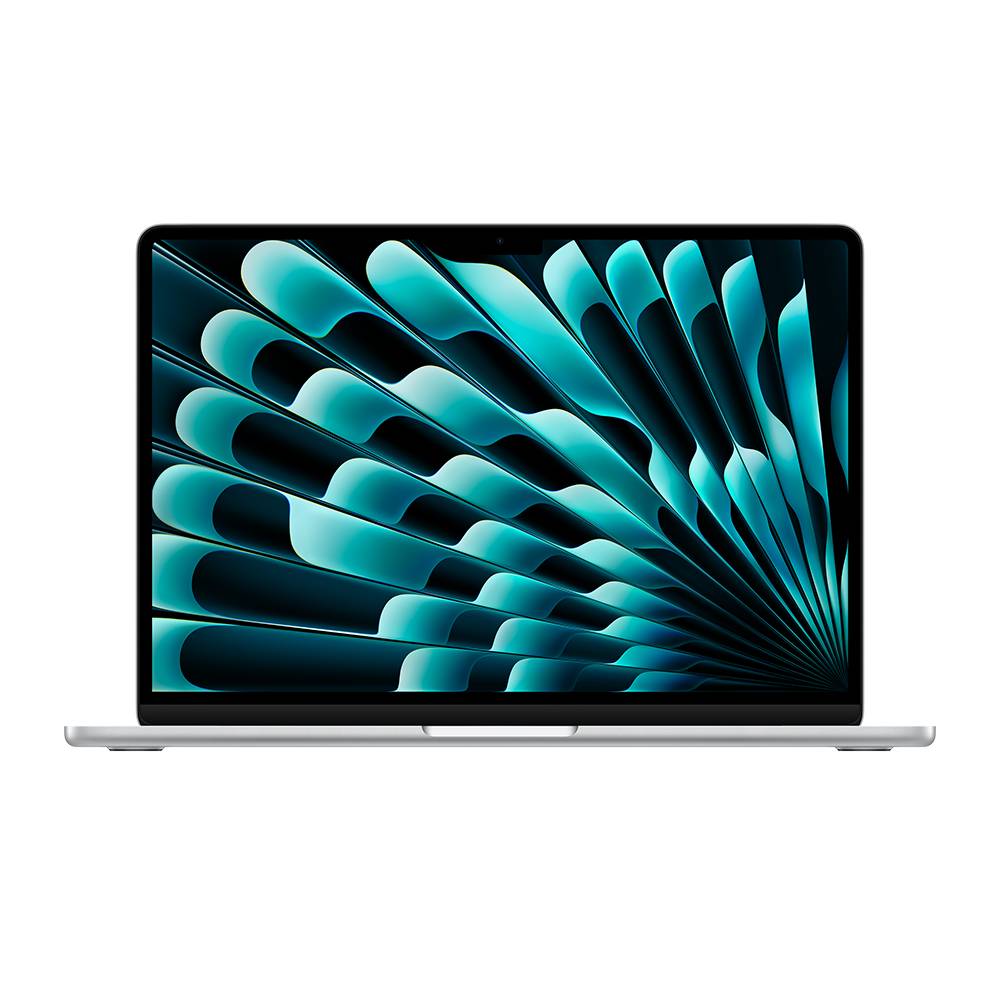
MacBook Air 13in
- Touch ID
- 13.6-inch (diagonal) Liquid Retina display with True Tone
- Apple M5 chip with 10-Core CPU, 10-Core GPU, 16-core Neural Engine
- 24GB unified memory, up to 32GB
- 1TB SSD storage, up to 4TB
- 2.7 lbs
- 12MP Center Stage camera with support for Desk View
- Two Thunderbolt 4 (USB-C) ports, 3.5 mm headphone jack, MagSafe 3 charging port
- 40W USB-C Dynamic Power Adapter, USB-C to Magsafe 3 cable
- No ethernet or HDMI ports
Please note: The MacBook Air M5 supports two external USB-C hub monitors monitors while the laptop is open over the Thunderbolt ports. The monitors have additional ports to support your needs.
MacBook Air 15in
Currently out of stock and on backorder. Estimated arrival is end of August.
- Touch ID
- 15.3-inch (diagonal) Liquid Retina display with True Tone
- Apple M5 chip with 10-Core CPU, 10-Core GPU, 16-core Neural Engine
- 24GB unified memory, up to 32GB
- 512GB SSD storage, up to 4TB
- 3.3 lbs
- 12MP Center Stage camera with support for Desk View
- Two Thunderbolt 4 (USB-C) ports, 3.5 mm headphone jack, MagSafe 3 charging port
- 40W USB-C Dynamic Power Adapter, USB-C to Magsafe 3 cable
- No ethernet or HDMI ports
Please note: The MacBook Air M5 supports two external USB-C hub monitors monitors while the laptop is open over the Thunderbolt ports. The monitors have additional ports to support your needs.
iMac 24in - currently out of stock
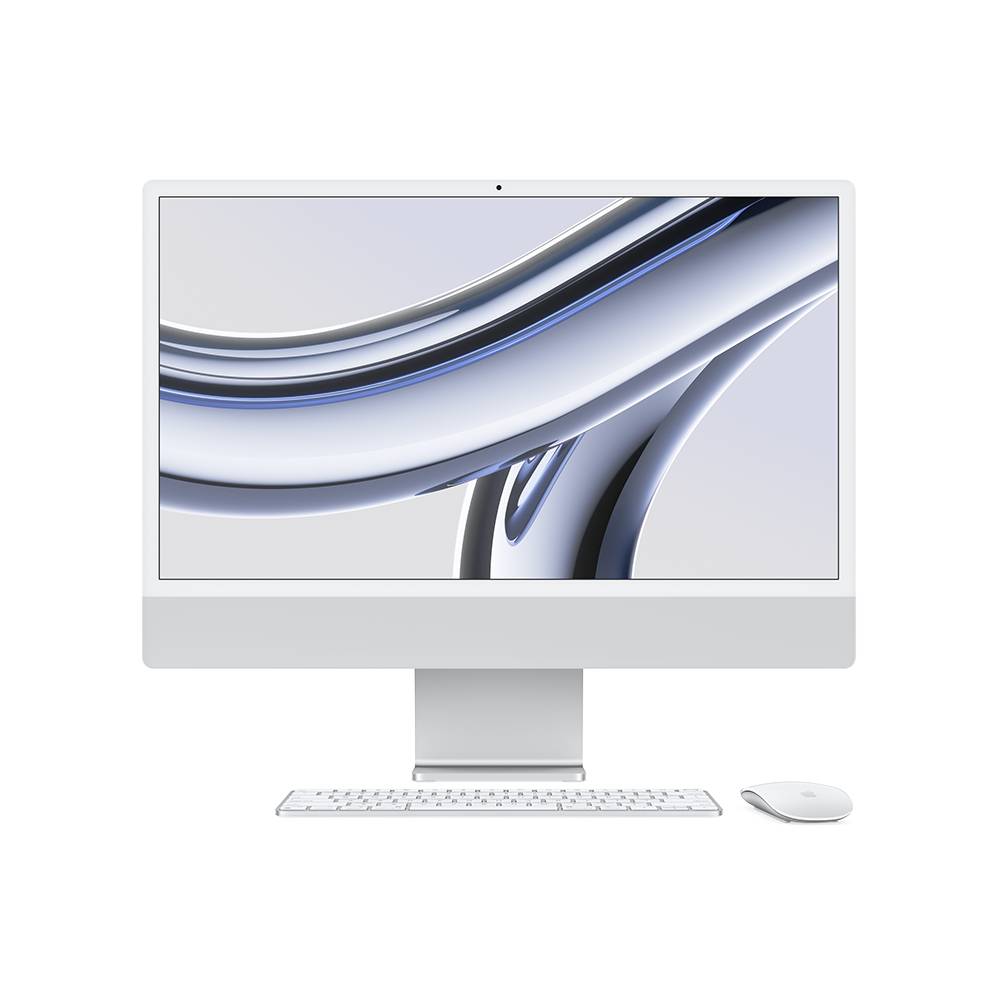
The iMacs are currently out of stock. We expect more stock in mid to late July.
- 24-inch 4.5K Retina display
- Apple M4 chip with 10-core CPU, 10-core GPU, and 16-core Neural Engine
- 24GB unified memory
- 512GB SSD storage
- Four Thunderbolt ports
- Gigabit ethernet
- Magic Mouse
- Magic Keyboard with Touch ID and numeric keypad
- Power cord and power adapter, USB-C charge cable
MacBook Neo

Introducing the all new MacBook Neo - The MacBook Neo is great for everyday productivity. Answering emails, taking video calls, browsing the web, building spreadsheets, writing syllabi - fly through everyday tasks. The A18 Pro chip breezes through your go-to apps (including Microsoft 365 and Zoom) and AI activities, putting power and efficiency in a whole new price point.
If you would like to purchase an MacBook Neo with GVSU funds, please complete a technology acquisition quote request. MacBook Neo color options can be found on the Apple website. When we receive that information, a custom quote will be created and sent to you along with the order form.
- Touch ID
- 13.0-inch (diagonal) Liquid Retina display
- Apple A18 Pro chip with 6-Core CPU, 5-Core GPU, 16-core Neural Engine
- 8GB unified memory
- 512GB SSD storage
- 2.7 lbs
- 1080p FaceTime HD camera
- Two USB-C ports, 3.5 mm headphone jack
- 20W USB-C Dynamic Power Adapter
- No ethernet or HDMI ports
Please note: The MacBook Neo supports one external USB-C hub monitor while the laptop is open. The monitor has additional ports to support your needs.
Peripherals
- Dell 24" monitors (USB-C hub monitors)* - Apple and PC compatible - acts as a docking station
- Dell 27" monitors (USB-C hub monitors)* - Apple and PC compatible - acts as a docking station
- Dell 14" portable monitor (USB-C connection) - Apple and PC compatible
- Apple magic mice
- Apple magic keyboards
iPads
If you would like to purchase an iPad with GVSU funds, please complete a technology acquisition quote request. iPad options can be found on the Apple website. When we receive that information, a custom quote will be created and sent to you along with the order form.
If you would like to order an iPad with cellular service, please email Telecommunications. Vice President approval is needed if this is a first time request.
A mandatory $45 license fee will be automatically charged to all iPad purchases. All GVSU owned iPad devices will be managed by IT. With this service you can contact IT Services if you’ve forgotten your passcode or misplaced the device. IT will also deploy security updates to your iPad, as needed.
Please note: iPads are not eligible for new/replacement IT-academic funded purchases.