

Inclusive Technology
Technology can remove barriers and provide multiple ways for students to access learning, participate, communicate, and demonstrate what they know.
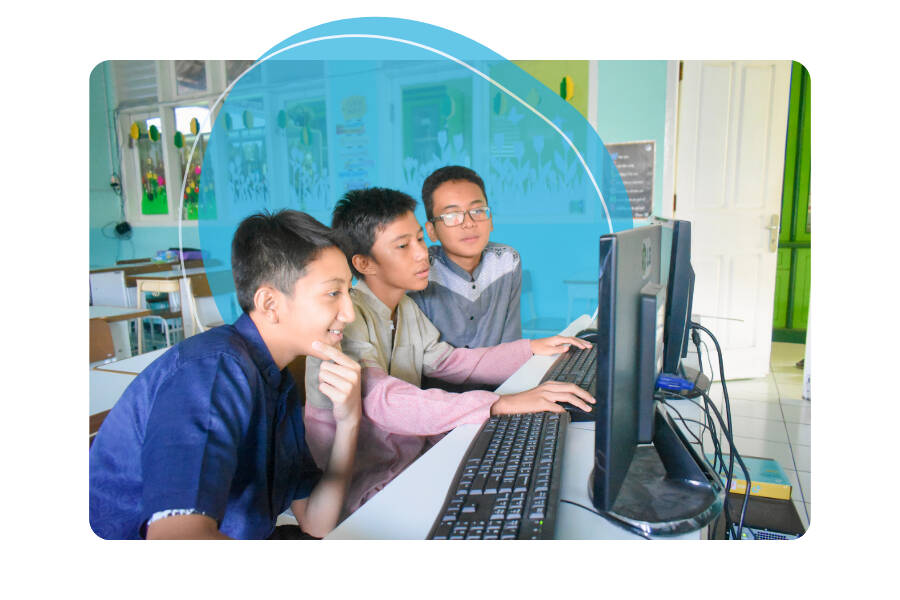
Inclusive technology is technology that works for all learners. It is adaptable to meet individual learning needs, provides multiple ways to access instruction, and supports a variety of learning styles and abilities. When used intentionally, technology helps create learning environments that are engaging, flexible, and accessible for every student.
Inclusive technology can help educators:
- Increase student engagement
- Support different learning styles
- Promote independence
- Remove barriers to learning
- Make instruction more interactive
- Create flexible learning opportunities
Assistive Technology
Assistive technology (AT) is one component of inclusive technology. While inclusive technology benefits many learners, assistive technology is selected to meet the individual needs of a student to increase access, participation, and independence.
AT is defined as “any item, piece of equipment, or product system, whether acquired commercially off the shelf, modified, or customized, that is used to increase, maintain, or improve functional capabilities of a child with a disability” (Individuals with Disabilities Education Act, 2004).
Common Misconceptions about Assistive Technology
Misconception
- Assistive technology is only for students with disabilities.
- Assistive technology is complicated.
- Assistive technology replaces instruction.
Reality
- Many AT tools can benefit a wide range of learners.
- Many supports are simple, intuitive, and easy to use.
- AT supports access, participation, and independence while complementing effective teaching.
Assistive Technology Examples
Low-Tech
Mid-Tech
High-Tech
- Sticky notes
- Pencil grips
- Slant boards
- Visual supports
- Audio recorders
- Alternative keyboards
- Portable word processors
- Simple communication devices
- Speech-generating devices
- Eye gaze systems
- Speech-to-text software
- Computer-based communication systems
Assistive Technology by Learning Area
Reading
Accessing written information is fundamental to learning, and AT can break down barriers for students with diverse reading needs. These tools ensure that every student can engage with text in ways that work best for them.
- Text-to-speech
- Audiobooks
- Digital text
- Braille materials
- Adjustable text size and color
- Reading comprehension supports
Writing
Writing can be challenging for many students, but AT provides multiple pathways to express ideas and communicate effectively. These tools help students overcome physical and cognitive barriers to writing.
- Speech-to-text
- Word prediction
- Graphic organizers
- Specialized keyboards
- Writing templates
- Spell and grammar supports
Math
Mathematical learning requires precise communication and understanding. AT in math provides students with alternative methods to engage with numerical concepts and demonstrate their knowledge.
- Calculators
- Math notation tools
- Graphing paper and tools
- Drawing tools
- Manipulatives
- Text-to-speech
- Dictation
Organization and Study Skills
Technology can support time management, organization, and executive functioning. Students may benefit from:
- Digital planners
- Reminder apps
- Digital calendars
- Timers
- Note-taking systems
- Graphic organizers
- Mind mapping tools
Communication
Some students use assistive technology as their primary means of communication.
- Picture communication systems
- Voice output devices
- Visual communication boards
- Computer-based communication tools
- Eye gaze systems
- Tactile communication supports
Computer Access
AT computer access supports provide multiple ways for students to interact with digital learning environments.
- Windows accessibility features
- Mac accessibility features
- Alternative keyboards
- Alternative mice
- Switch access
- Smart device accessibility features
Vision
These tools provide access to printed and digital information for students with visual impairments.
- Screen readers
- Refreshable Braille displays
- Magnifiers
- Closed-circuit television (CCTV)
Hearing
AT supports improve access to spoken instruction and classroom discussions.
- Hearing aids
- Cochlear implants
- FM listening systems
- Captioning
- Real-time transcription
Environmental Adaptations
Technology is one part of creating an accessible learning environment. Environmental adaptations help remove barriers by making the classroom more comfortable, predictable, and supportive for individual learners. Examples of environmental adaptations include:
- Adjust lighting for comfort
- Create quiet learning spaces
- Reduce visual distractions
- Use noise-canceling headphones
- Organize workspaces
- Provide flexible seating
- Incorporate visual supports and schedules
Environmental adaptations often work alongside inclusive technology and assistive technology to support student participation and independence.
Accessible Technologies
Accessible technologies are features built into many everyday digital tools that make them easier for everyone to use. Unlike assistive technology, these features are generally available to all users and do not require specialized equipment. These features provide multiple ways for students to access digital content and participate in learning activities.
Examples include:
- Adjustable font size
- Color contrast settings
- Closed captions
- Built-in screen readers
- Voice typing
- Keyboard shortcuts
- Zoom and magnification
- Accessibility settings on Windows, Mac, tablets, and mobile devices
Accessible Educational Materials (AEM)
Sometimes the barrier is not the student but the format of the instructional materials. Accessible Educational Materials (AEM) ensure that all students can engage with the same content using formats that meet their individual needs. Providing instructional materials in multiple formats increases access while supporting participation alongside peers. Accessible materials may include:
- Digital text
- Audio recordings
- Braille
- Large print
- Tactile graphics
- Adaptable educational resources

Alternative Text (Alt Text)
Alternative text (alt text) is a written description of an image that allows people using screen readers to understand visual information.
When creating instructional materials:
- Add alt text to meaningful images.
- Describe only the information that is important for learning.
- Keep descriptions concise and purposeful.
Tools and Resources
- CAST National Center on Accessible Educational Materials (AEM) – Myths and Facts
- Inclusive Schools Network – Assistive Technology 101
- OCALI – AT Domains
- TIES Center – Creating Accessible Grade-Level Texts for Students with Significant Cognitive Disabilities in Inclusive Classrooms
- Understood – Assistive Technology for Math
- Virginia Commonwealth University Training and Technical Assistance Center (TTAC) – Assistive Technology Resources for Math
References
AltShift Education. (n.d.). Accessible materials made right (AMMR). https://www.altshift.education/professional-learning/online-modules/accessible-materials-made-right-ammr
AltShift Education. (n.d.). Assistive technology. https://www.altshift.education/topics/assistive-technology
Assistive Technology Industry Association. (n.d.). What is assistive technology? https://www.atia.org/home/at-resources/what-is-at/
CAST National Center on Accessible Educational Materials. (2023). Defining accessible educational materials. https://aem.cast.org/get-started/resources/aem-takeaways/defining-accessible-educational-materials
Inclusive Schools Network. (n.d.). Assistive technology 101. https://inclusiveschools.org/resource/assistive-technology-101/
Office of Special Education and Rehabilitative Services. (2024). Myths and facts surrounding assistive technology devices [Dear Colleague letter]. U.S. Department of Education. https://sites.ed.gov/idea/files/Myths-and-Facts-Surrounding-Assistive-Technology-Devices-01-22-2024.pdf
TIES Center. (2020). Creating accessible grade-level texts for students with significant cognitive disabilities in inclusive classrooms (Foundations of Inclusion Tips). University of Minnesota. https://publications.ici.umn.edu/ties/foundations-of-inclusion-tips/creating-accessible-grade-level-texts-for-students-with-significant-cognitive-disabilities-in-inclusive-classrooms
Understood for All, Inc. (n.d.). Assistive technology for math. https://www.understood.org/en/articles/assistive-technology-for-math
Virginia Commonwealth University, Training and Technical Assistance Center. (n.d.). Assistive technology resources for math. https://ttac.vcu.edu/topic-areas/math/assistive-technology-resources/
Washington Professional Educator Standards Board. (n.d.). Module 7: What technologies do you use in the classroom and in your school? [Video]. YouTube. https://youtu.be/iuZVkn9uUL0
START presents these resources for informational purposes only; no endorsement or recommendation is expressed or implied. Any use of these materials must be premised on the user's own professional judgment as to the appropriateness for their district, community, and student(s), and be undertaken in accordance with all applicable district policy.