
Department Review for Course Approval
Instructions: Study Abroad Course Approval Database
Please find the PDF version of the Departmental Review for Course Approval Here
STEP 1
My Pending Courses
You should be able to login by clicking the red Sign in with Grand Valley State University. If it is your first time logging in you will be asked to verify using the GVSU multi factor authentication.
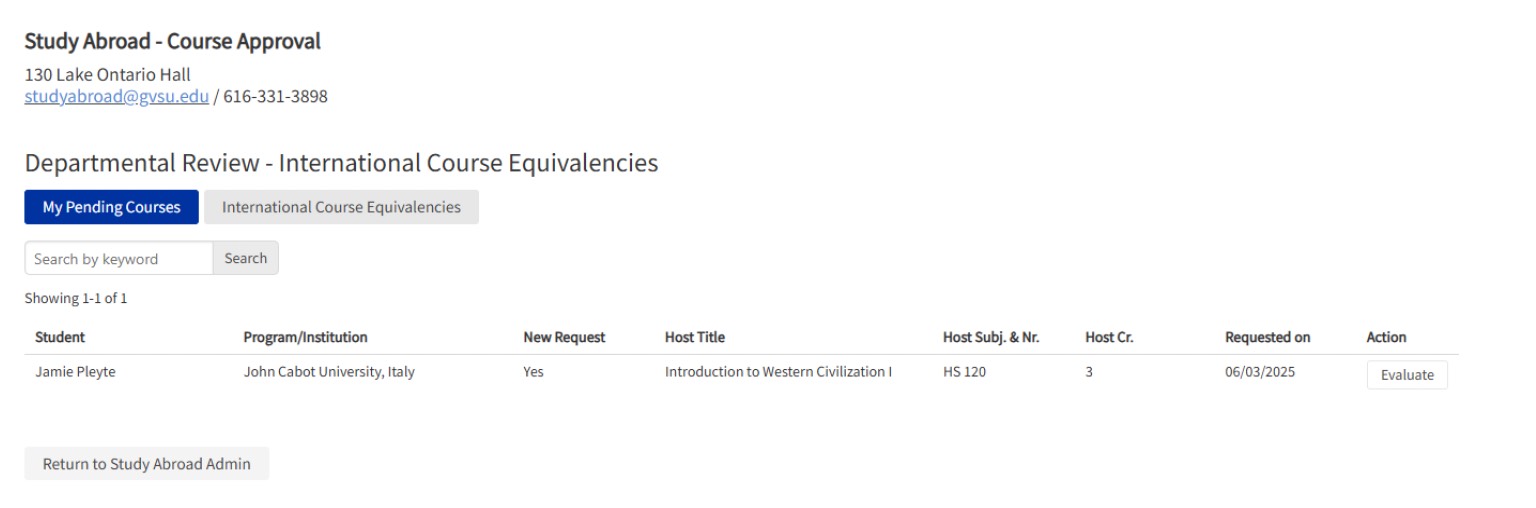
As you login, it will take you to the My Pending Courses Tab. From here, you will see all the courses that students have submitted that are waiting for your review. If you are ready to review a course, click the Evaluate button to the right.
STEP 2
Evaluate Pop Up Window
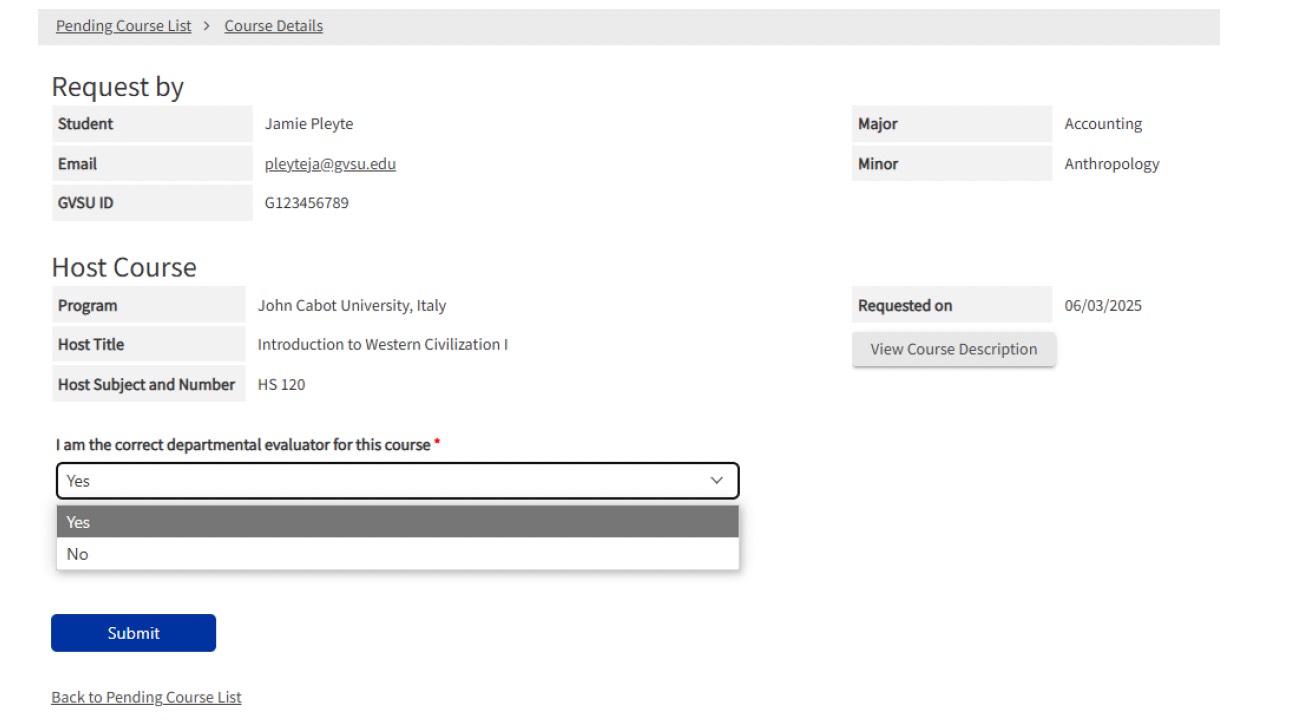
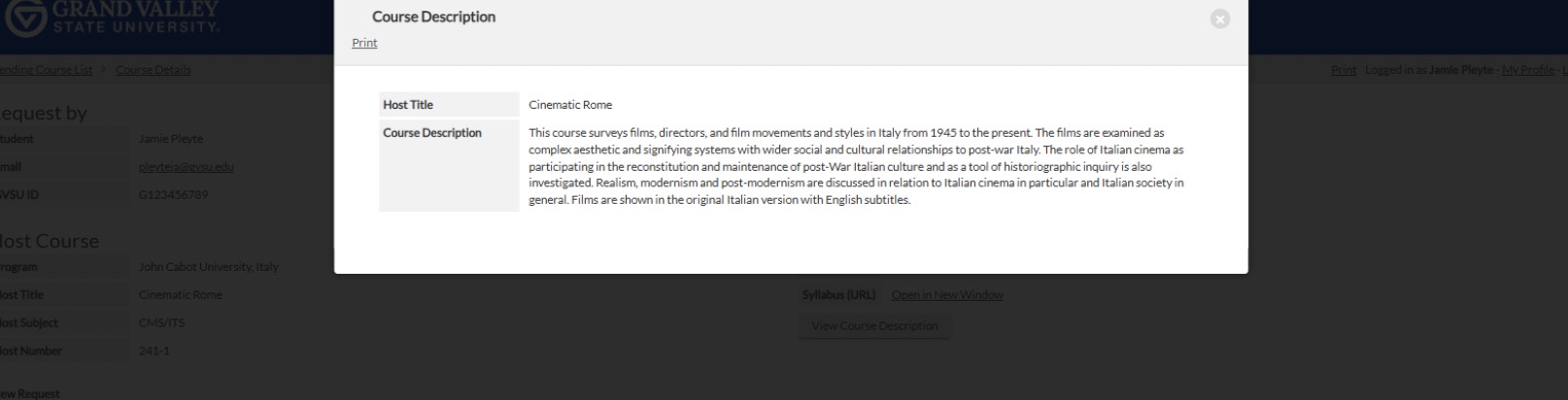
Initially, a window will pop up and it will give you an overview of the student who is making the request. It has their name, email, G number, major and minor. It will also give you some information about the course such as the university abroad, the name of the course and you can then click the View Course Description button to see the course description and a syllabus that is linked or the uploaded pdf.
The first thing you need to do is select from the drop down: I am the correct departmental evaluator for this course: Yes or No, then click submit.
Pop Up with the Course Description
STEP 3
I am the Correct Evaluator
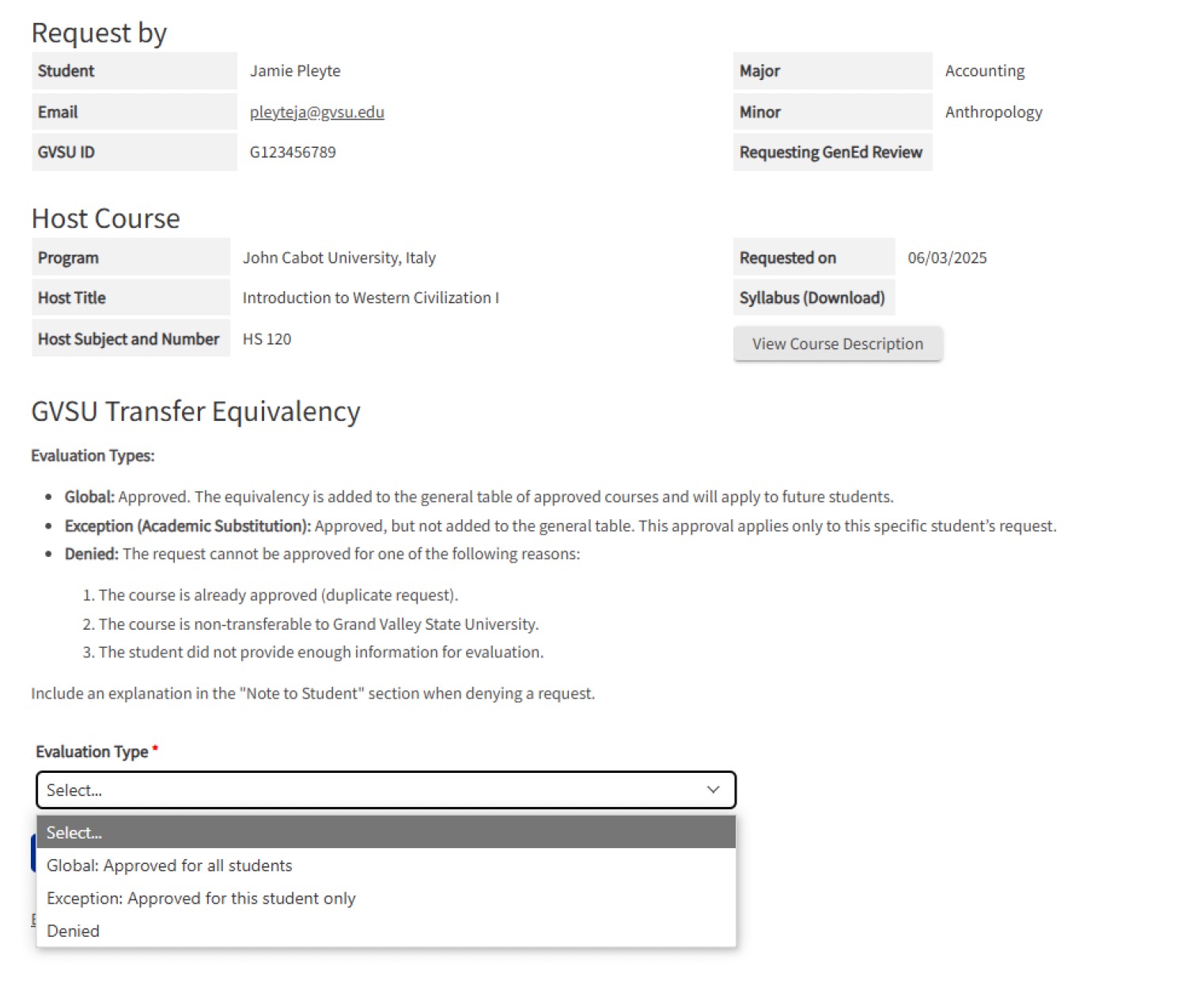
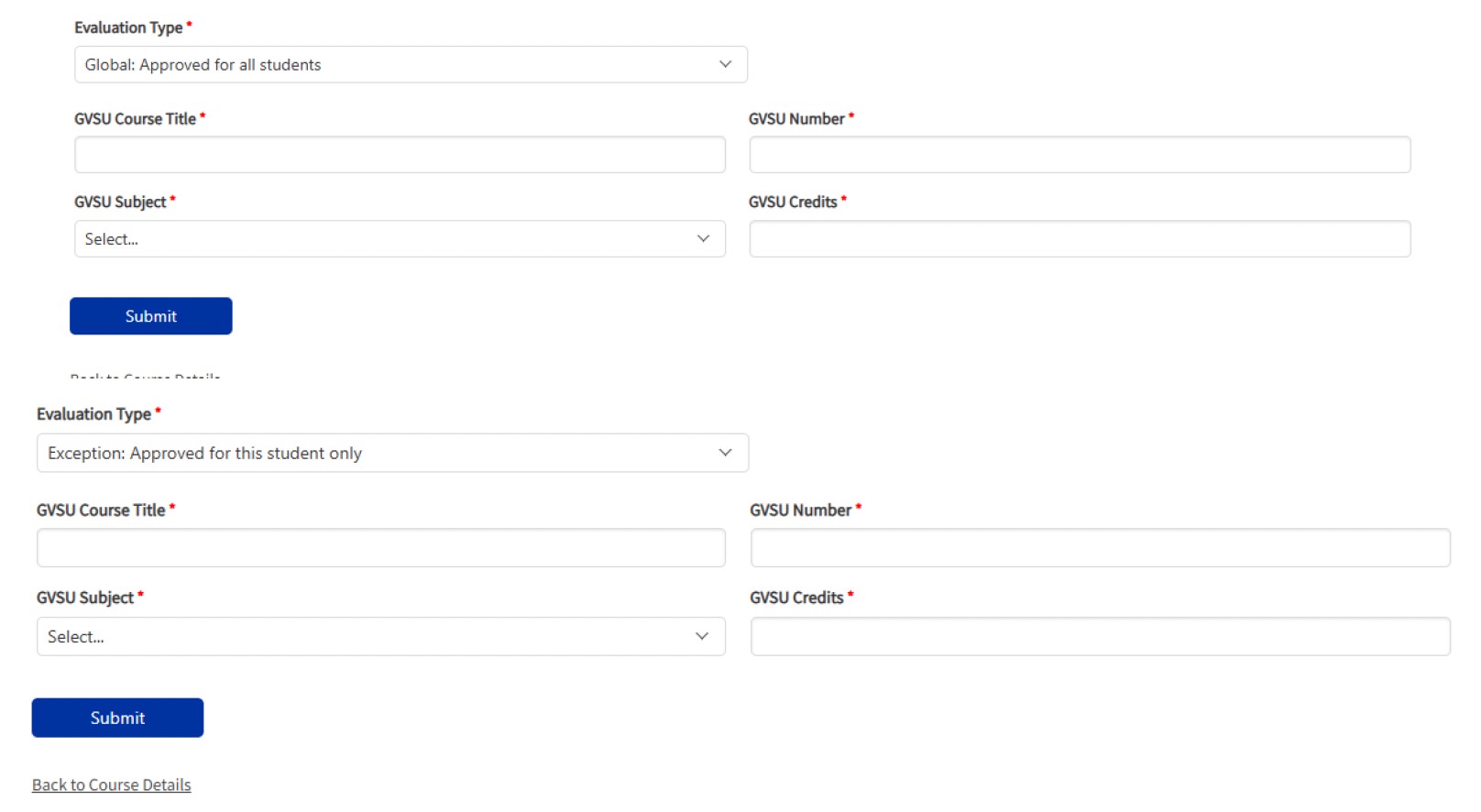
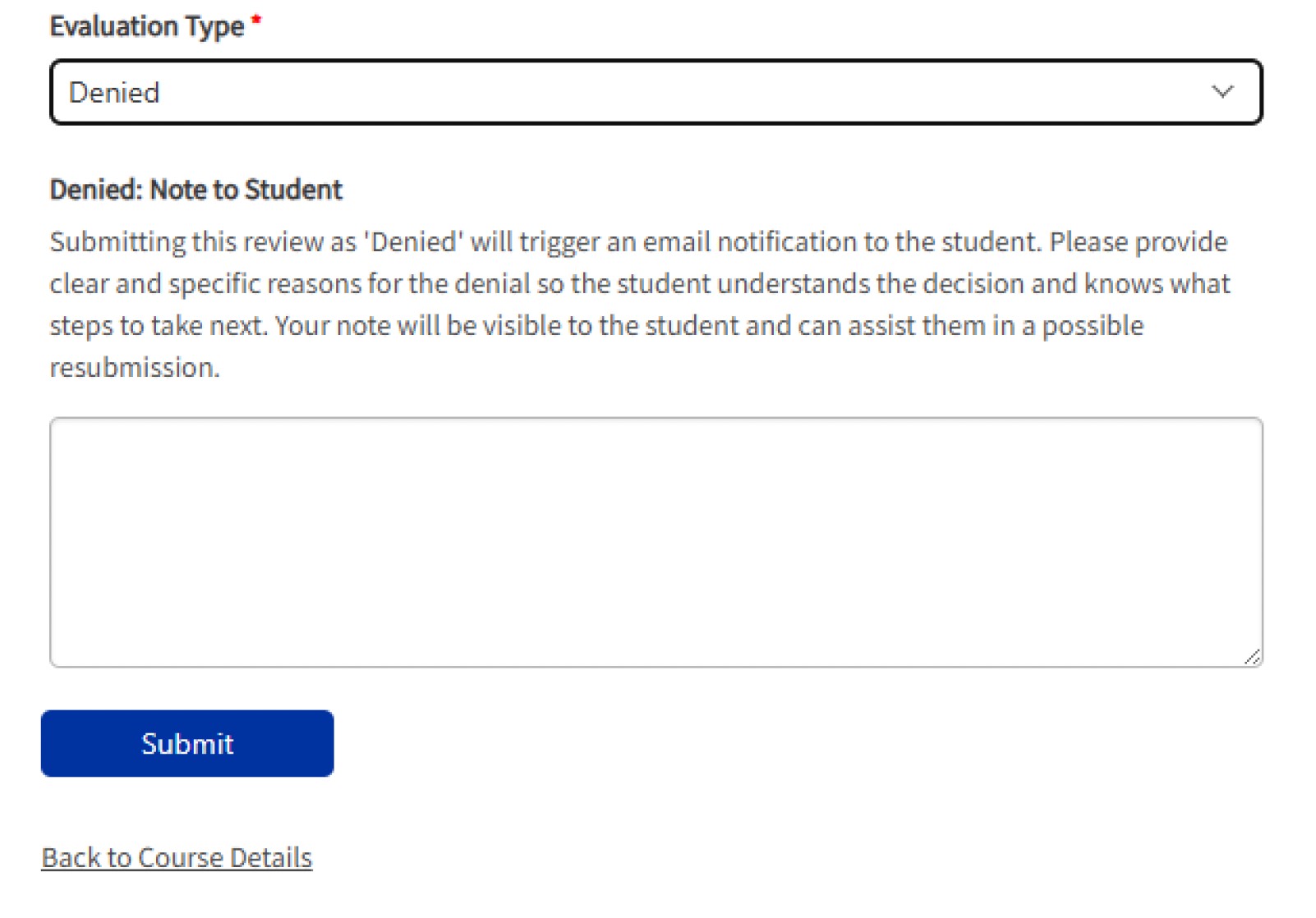
If you are the correct evaluator, then you will be taken to another screen. On this screen you can select the evaluation type: global, exception (for this student only) or denied. Once you make a selection from the drop down click submit and you will be prompted again.
Global - This is an approval for all students and will be added to the pre-approved list that all students will be able to search. You will need to fill in the GVSU Course Title, the GVSU Number, select the GVSU Subject code from the Drop Down, and the GVSU credits.
Exception - It is an approval for only the student who has requested the approval. It will NOT be added to the list of pre-approved classes. Only the student requesting it will be able to see it.
Denied - There could be any number of reasons why you would deny a course approval. Some of the more common reasons are: The course is already approved (it is a duplicate), The course is non-transferable to GVSU, or most likely, the student didn’t provide enough information. If you click Denied, please fill in detailed information about why the course was denied. If you need more information to evaluate, please indicate that so the student can gather what you need to make a proper evaluation and they can try again.
Once you click submit for any of the evaluation types, it will generate an email for the student with the approval or the denial and the reason why.
STEP 4
I am NOT the Correct Evaluator
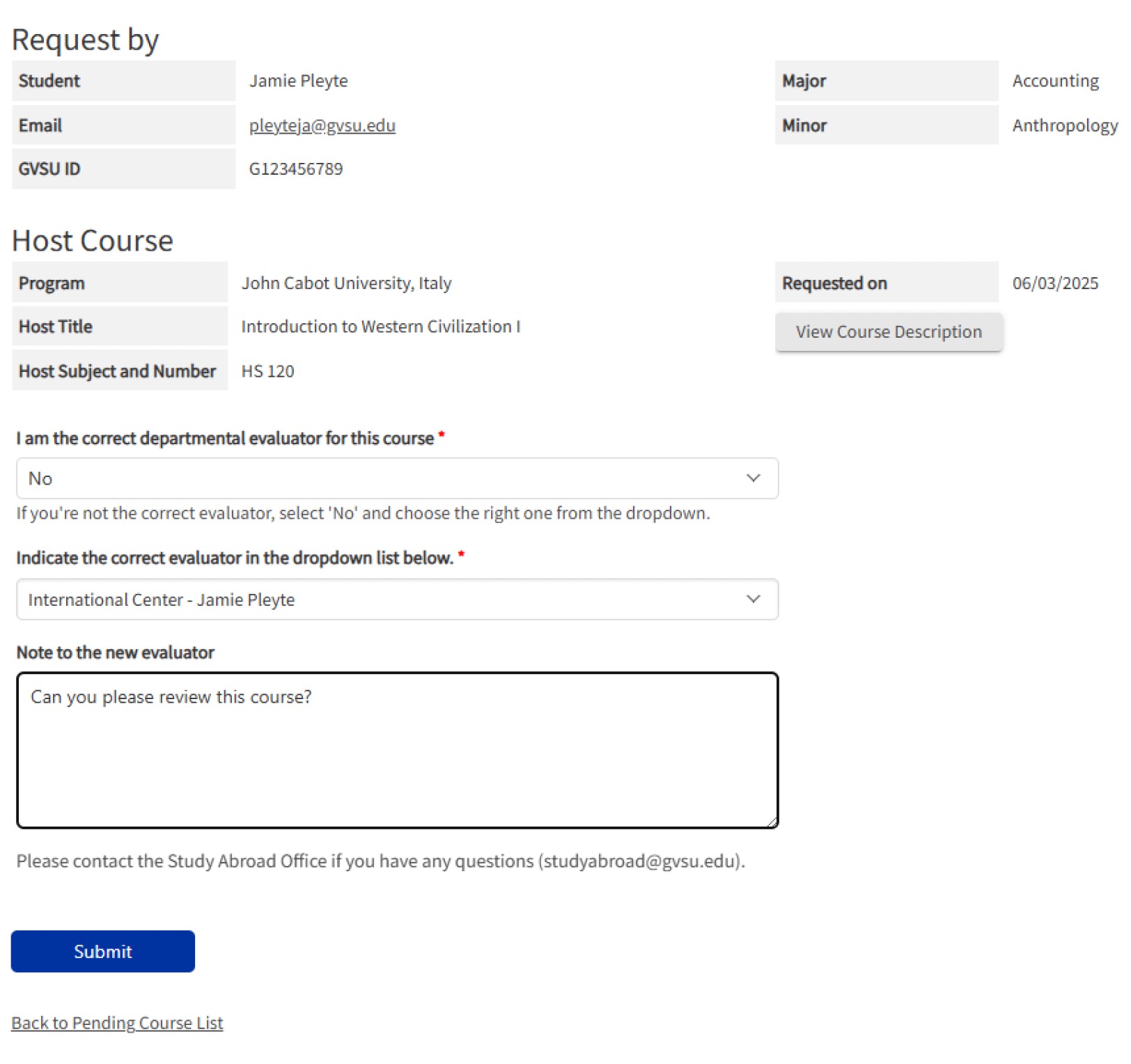
In the My Courses tab, if you click evaluate again we will be back at the first pop-up window. Instead of indicating we are the correct approver, this time, we will say no, we are not the correct approver.
Select No, you are not the correct evaluator from the drop down menu. When you select No from the menu, more boxes will appear. From the second drop down menu, you can choose who would be the correct evaluator for this course. You can also add a note to the new evaluator. The new evaluator will get an email about the new course to evaluate and when they login, they will see your note to them.
STEP 5
International Course Equivalencies
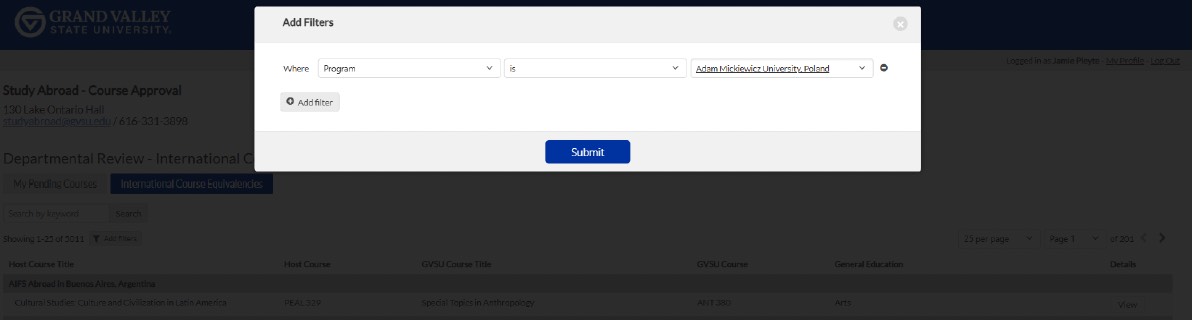
If you click the International Course Equivalencies tab, you will be taken to the table of ALL the courses that have been approved. You will be able to filter through the 5000+ courses using the Add Filters button.
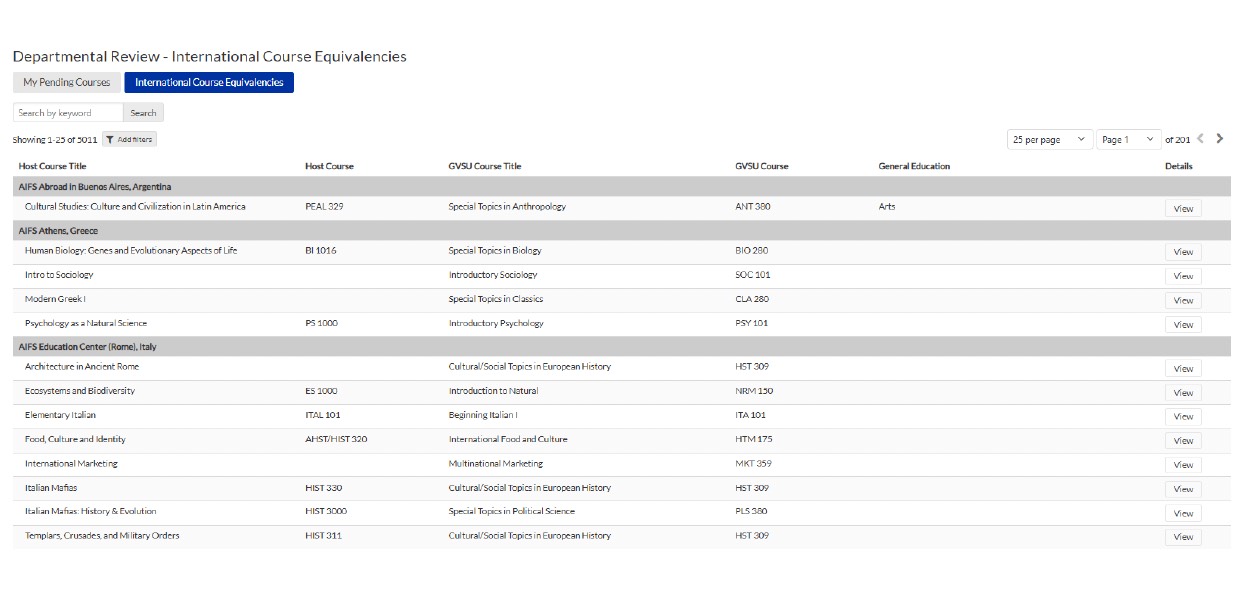
Once you click Add Filters, a new window will pop-up. From here you will be able to apply any filter you want to make your search easier.
IMPORTANT NOTE
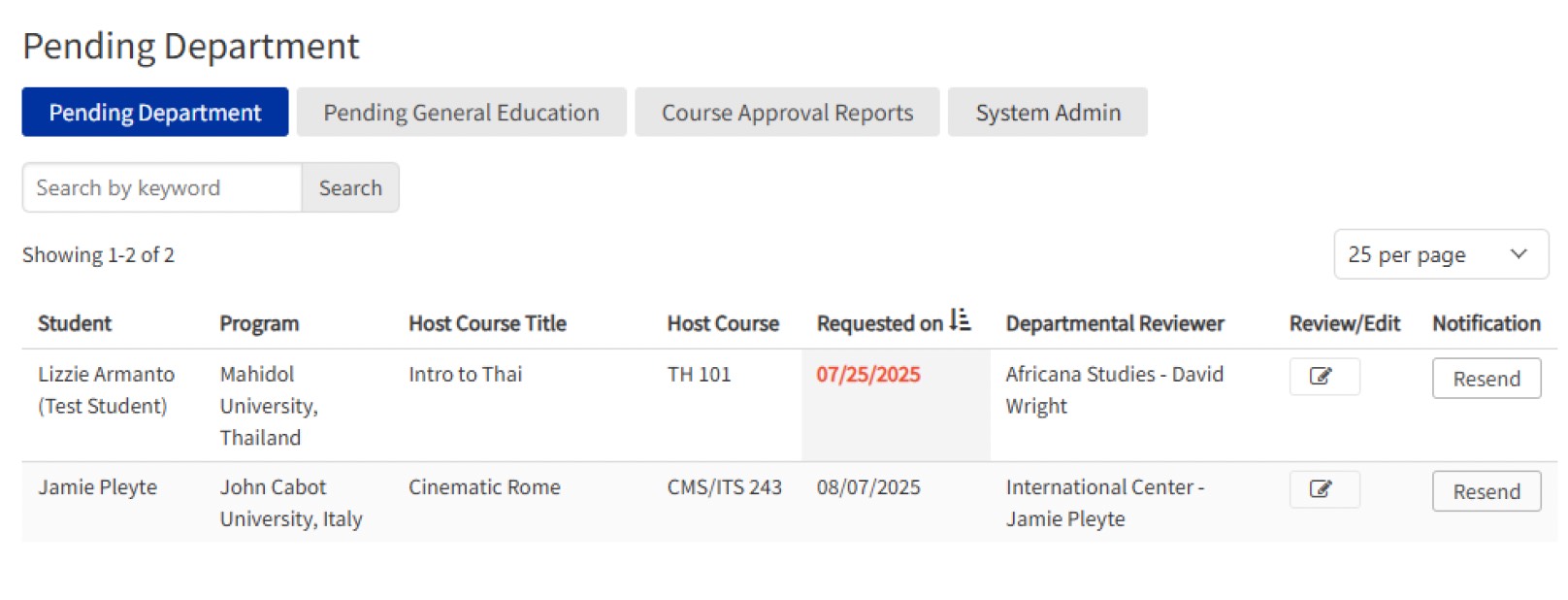
From the Study Abroad Admin view, the Padnos International Center will be able to see how long a course has been pending. If a student has requested for a course to be evaluated and 2 weeks pass with no evaluation, the date will turn red for us. From there, we will be able to Resend the request to you to remind you that there is a course that needs to be evaluated. When a student initially requests for you to evaluate a course, you will receive an email. The system is designed to remind us when we forget. If we click Resend, another email will be generated to remind you of a pending evaluation.
Thank you!
Thank you so much for collaborating with us as we see students do these amazing experiences abroad and not only bring the courses back but new life changing experiences!
If you have any questions about this process at all, do not hesitate to reach out to Jamie Pleyte [email protected] with your questions!